What Is MCP? A Practical Guide for Enterprise AI
MCP explained in five minutes — no protocol spec required.
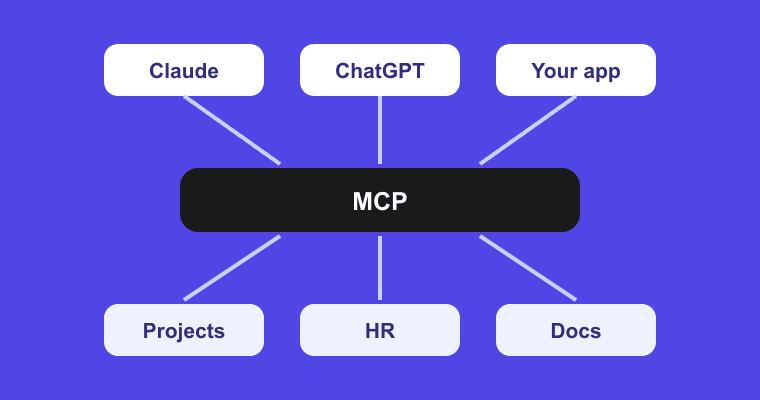
MCP in one paragraph
The Model Context Protocol (MCP) is an open standard, introduced by Anthropic in late 2024 and since adopted across the industry, that defines how AI models connect to external systems - your project tracker, your HR platform, your document store. Think of it as a universal port: instead of building a custom integration between every AI tool and every business system, both sides implement one standard, and everything can talk to everything. It's often described as "USB-C for AI", and the analogy holds up well.
The problem MCP solves
Before MCP, connecting AI to business systems meant custom work for every pairing. Three AI clients and six business tools meant up to eighteen separate integrations - each with its own authentication, its own data format, its own maintenance burden. Every new tool multiplied the problem. This is the classic N×M integration problem, and it's why most "AI + your data" projects stalled at the proof-of-concept stage.
MCP collapses N×M into N+M. Each AI client implements MCP once. Each business system exposes an MCP server once. Any client can then work with any server.
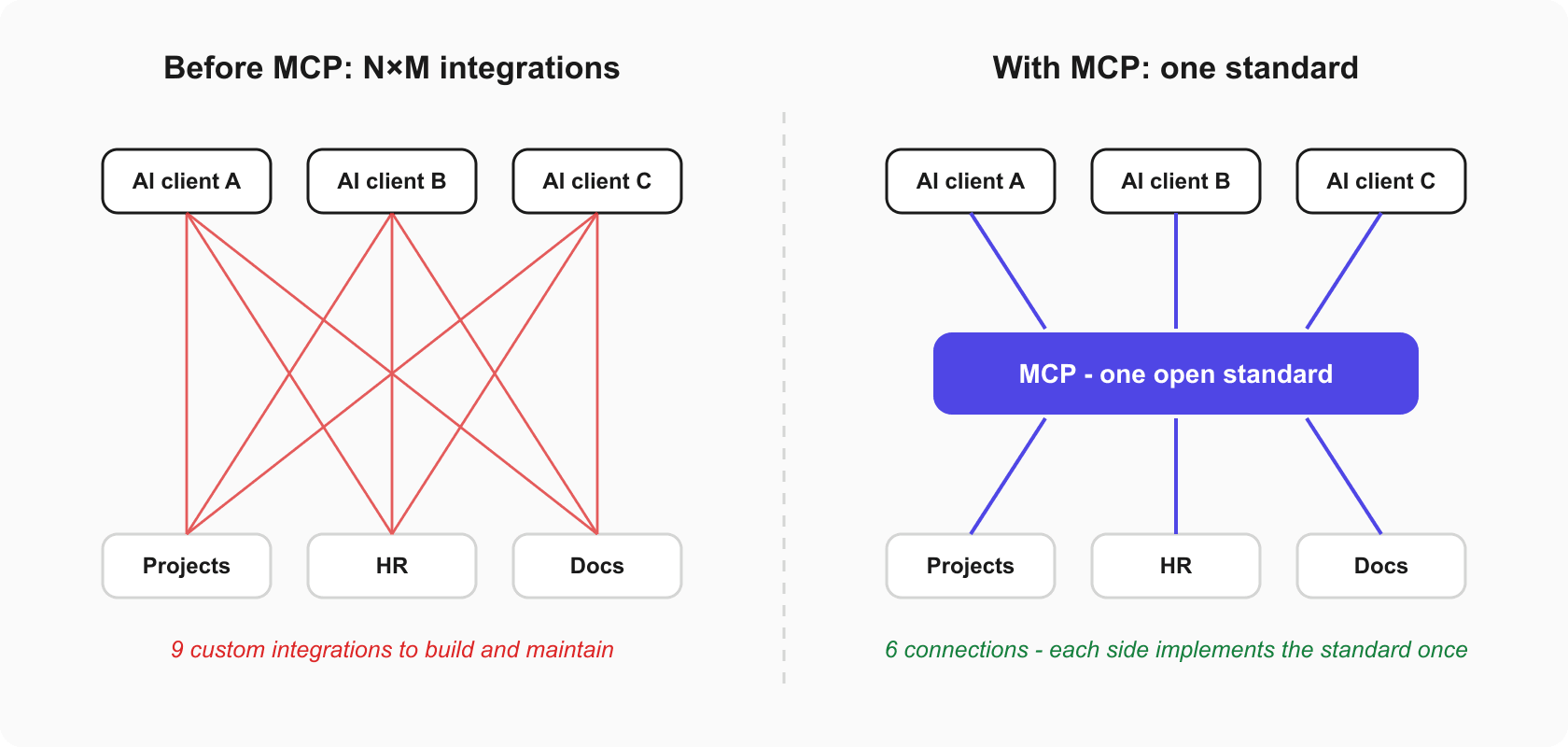
> Key takeaway: MCP replaces N x M custom integrations with one open standard. But it's transport, not magic - it delivers whatever context exists, so it works best when the data on the other end is unified.
How MCP works - the 60-second version
Three pieces, plain English:
- MCP client - the AI application your team uses: Claude, a coding tool like Cursor, or your own app calling an LLM API.
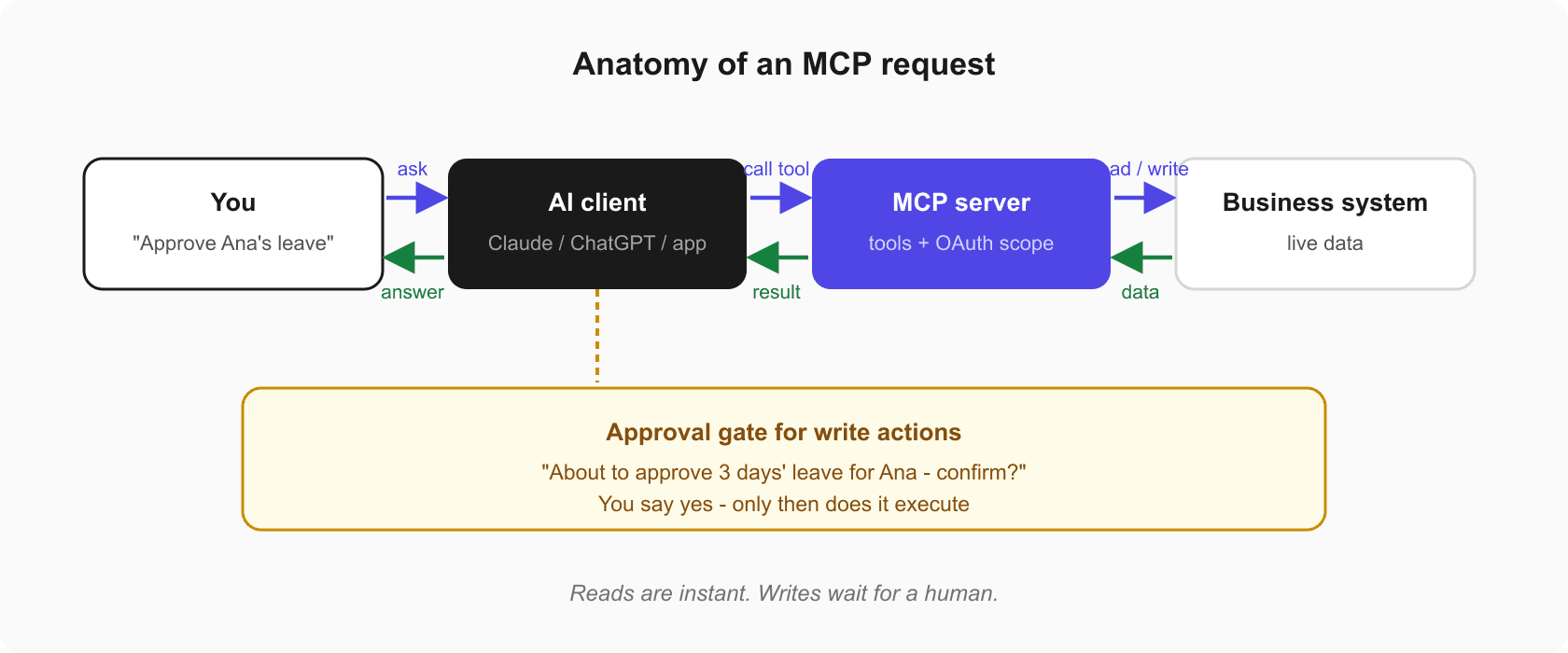
- MCP server - a service that sits in front of a business system and exposes what the AI is allowed to do with it, as a set of tools ("list pending leave requests", "create a task", "fetch a document").
- The protocol - the shared language between them: how the client discovers available tools, calls them, and receives results.
When you ask a connected AI "what's overdue in the Apollo project?", the client sees that the MCP server offers a task-query tool, calls it, gets live structured data back, and answers from that data - not from memory or guesswork.
What enterprises should actually care about
Security model. A well-built MCP server uses OAuth rather than shared API keys, respects the user's existing permissions (the AI sees only what you can see), keeps a full audit trail, and requires explicit confirmation before any write action. If a vendor's MCP offering can't answer those four points, keep asking.
Tool quality over tool count. An MCP server is only as useful as the tools it exposes. "Read one record at a time" makes for a slow assistant; well-designed tools support the questions people actually ask - summaries, cross-cutting queries, bulk actions with confirmation.
Context still matters most. MCP is transport, not magic. If your data is fragmented and contradictory across a dozen tools, MCP will faithfully deliver that fragmentation to your AI. The protocol connects; it doesn't reconcile. This is why MCP works best paired with a single source of truth.
MCP in practice: one connection, whole workspace
This is the approach behind Hplix MCP. Because Hplix already unifies projects, HR, recruitment, documents, finance and integrations in one platform, a single MCP connection gives any compatible LLM - Claude, ChatGPT, Gemini, or your own application - access to the entire workspace. Setup takes about three minutes: add https://api.hplix.com/mcp to your client, authenticate with OAuth, and start asking. Every write action requires your explicit approval, and everything is logged.
One standard, one connection, complete context. That's the practical promise of MCP - realised fastest when there's one platform on the other end of the wire.